

Table of Contents
ToggleVirtual reality tools have transformed how people work, learn, and play. From standalone headsets to advanced development platforms, VR technology now serves industries ranging from healthcare to gaming. This guide covers the essential virtual reality tools available in 2025, including hardware options, software platforms, and practical advice for selecting the right equipment. Whether someone is building immersive experiences or simply exploring VR for the first time, understanding these tools is the first step toward making informed decisions.
Key Takeaways
- Virtual reality tools include hardware (headsets, controllers) and software (game engines, platforms) that create immersive digital experiences for gaming, training, and professional use.
- Standalone headsets like Meta Quest 3 offer wireless convenience, while PC-tethered systems deliver higher visual fidelity for demanding applications.
- Unity and Unreal Engine are the leading development platforms for creating VR content, each suited to different skill levels and project needs.
- When choosing virtual reality tools, consider your budget, intended use case, available content, and physical space requirements.
- Enterprise-grade VR hardware includes features like device management and durability for businesses deploying across multiple locations.
- Future-proof your investment by selecting devices with strong developer support and active user communities.
What Are Virtual Reality Tools?
Virtual reality tools are hardware and software systems that create immersive digital environments. These tools trick the brain into believing it exists within a simulated space. Users can interact with 3D worlds, manipulate virtual objects, and experience scenarios that would be impossible or impractical in real life.
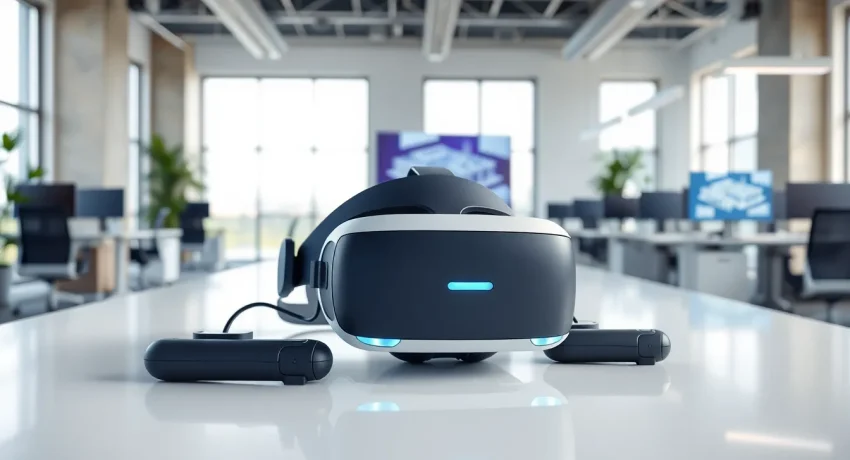
At their core, virtual reality tools include three main components: display systems, tracking technology, and input devices. Display systems present visual content through headsets or screens. Tracking technology monitors head and body movements. Input devices, like controllers, gloves, or hand-tracking sensors, let users interact with virtual environments.
VR tools serve multiple purposes across different sectors. Gaming remains the most popular consumer application, but the technology has expanded far beyond entertainment. Medical professionals use VR for surgical training. Architects walk clients through buildings before construction begins. Therapists treat phobias and PTSD through controlled exposure therapy.
The line between virtual reality and augmented reality sometimes blurs. VR replaces the real world entirely with a digital one. AR overlays digital content onto the physical world. Many modern virtual reality tools now support both modes, giving users flexibility in how they experience content.
Types of VR Hardware
Standalone Headsets
Standalone VR headsets contain all necessary computing power within the device itself. They don’t require external computers or gaming consoles. The Meta Quest 3 and Quest 3S lead this category in 2025, offering wireless freedom and impressive performance at accessible price points. These devices suit beginners and casual users who want simple setup and portability.
PC-Tethered Headsets
PC-tethered virtual reality tools connect to powerful desktop computers. They deliver higher visual fidelity and more processing power than standalone options. The Valve Index, HP Reverb G2, and various SteamVR-compatible headsets fall into this category. Professionals and serious enthusiasts prefer these systems for demanding applications like detailed simulations and high-end gaming.
Console VR Systems
PlayStation VR2 represents the console approach to virtual reality. It connects to the PS5 and offers a middle ground between standalone convenience and PC-level performance. Console VR appeals to gamers who already own compatible systems and want access to exclusive titles.
Motion Controllers and Accessories
Most virtual reality tools ship with motion controllers for hand tracking and interaction. Additional accessories expand functionality. Haptic gloves provide touch feedback. Omnidirectional treadmills enable natural walking. Full-body tracking suits capture leg and torso movements for complete avatar representation.
Enterprise-Grade Hardware
Business-focused VR hardware prioritizes durability, hygiene features, and management capabilities. The HTC VIVE Focus 3 and similar devices include enterprise-specific features like device management software, replaceable face cushions, and extended warranties. Companies deploying VR across multiple locations often choose these options even though higher costs.
Essential VR Software and Development Platforms
Game Engines
Unity and Unreal Engine dominate VR development. Unity offers accessibility and a gentler learning curve, making it popular for indie developers and educational projects. Unreal Engine provides superior graphics capabilities and suits AAA productions and architectural visualization. Both engines support all major virtual reality tools and include extensive VR-specific features.
Content Distribution Platforms
Meta’s Quest Store serves standalone Meta devices. SteamVR hosts the largest library of PC VR content. PlayStation Store supplies PSVR2 titles. Each platform maintains different content policies and revenue sharing arrangements. Developers often release on multiple platforms to reach wider audiences.
Creation Tools for Non-Developers
Not everyone writes code. Tools like Gravity Sketch, Tilt Brush, and Medium let artists create 3D content directly within VR. These applications turn virtual reality tools into creative instruments rather than just consumption devices. Users sculpt, paint, and design in three dimensions using natural hand movements.
Social and Collaboration Platforms
VRChat, Rec Room, and Horizon Worlds provide social spaces where users meet, play games, and attend events. Business-focused platforms like Spatial and Engage host meetings, training sessions, and conferences. These applications demonstrate VR’s potential for remote collaboration and community building.
Training and Simulation Software
Specialized software serves specific industries. Surgical simulators help medical students practice procedures. Flight simulators train pilots. Industrial applications teach equipment operation without real-world risks. These professional virtual reality tools often cost significantly more than consumer software but deliver measurable training improvements.
How to Choose the Right VR Tools for Your Needs
Selecting virtual reality tools starts with defining the intended use case. A casual gamer has different requirements than a design studio or training department.
Budget Considerations
Standalone headsets like the Quest 3S start around $300. High-end PC VR setups can exceed $2,000 when factoring in the computer requirements. Enterprise solutions often run $1,000+ per headset before software licensing. Setting a realistic budget early prevents wasted research time.
Technical Requirements
PC-tethered virtual reality tools demand specific computer specifications. A capable VR-ready PC needs a modern graphics card, sufficient RAM, and appropriate ports. Standalone devices eliminate these concerns but sacrifice some performance. Checking compatibility requirements before purchasing prevents frustration.
Content Availability
The best hardware means nothing without compelling content. Researching available applications for each platform helps identify which ecosystem offers the most relevant experiences. Someone interested in fitness games might choose differently than someone focused on professional design tools.
Comfort and Fit
VR sessions can last hours. Headset weight, strap design, and lens adjustability affect long-term comfort. People who wear glasses should verify compatibility. Trying devices before buying, when possible, helps identify potential comfort issues.
Space Requirements
Room-scale VR needs physical space. Some applications require 2×2 meter play areas or larger. Others work fine while seated. Measuring available space and understanding each game or application’s requirements prevents disappointment.
Future-Proofing
VR technology advances quickly. Considering upgrade paths and platform longevity makes sense for significant investments. Devices with strong developer support and active user communities tend to age better than orphaned products.

